SECS-I virtual pair
A SECS-I virtual pair is two SECS-I endpoints wired together through memory buffers inside the simulator process. You don’t need a serial port, a cable, or a driver, so you can exercise SECS-I block transfer and error handling the same way on Windows, Linux, and macOS.
Before you start, read:
- SECS-I: block layout, the ENQ/EOT handshake, and the T1–T4 timers
- SECS-II messages: streams, functions, the W-bit, and system bytes
- Simulator GUI: the window layout
How the pair works
Section titled “How the pair works” simulator process+--------------------------------------------------------------+| Host endpoint (Slave) Equipment endpoint (Master)| sends ToEquipment <== in-memory byte FIFOs ==> sends ToHost| ^ ^| +-------- Poll: one bounded I/O cycle for both ----++--------------------------------------------------------------+- A pair consists of two SDK SECS-I endpoints. Following SEMI E4, the virtual pair makes the Equipment side the master and the Host side the slave. When both sides start sending at once, the contention rule applies: the Host, as the slave, backs off, receives the Equipment’s message first, and then sends its own.
- The read and write callbacks of each endpoint are connected to in-memory FIFOs instead of a serial port. Your own SDK program has the same structure; it just hands the endpoint callbacks that read and write a real port.
- The pair moves only when you poll it. Each Poll runs one bounded I/O cycle on both endpoints and advances the pair clock by one tick.
- The simulator holds up to 8 pairs. Each pair queues up to 32 events and carries message bodies of up to 1,952 bytes. Bodies longer than 244 bytes are split into several blocks.
- The pair is independent of the role and the HSMS session on Overview, so it works in any simulator window.
Exchange messages in the GUI
Section titled “Exchange messages in the GUI”Open SECS-I in the navigation list. The panel is titled SECS-I Virtual Pair.
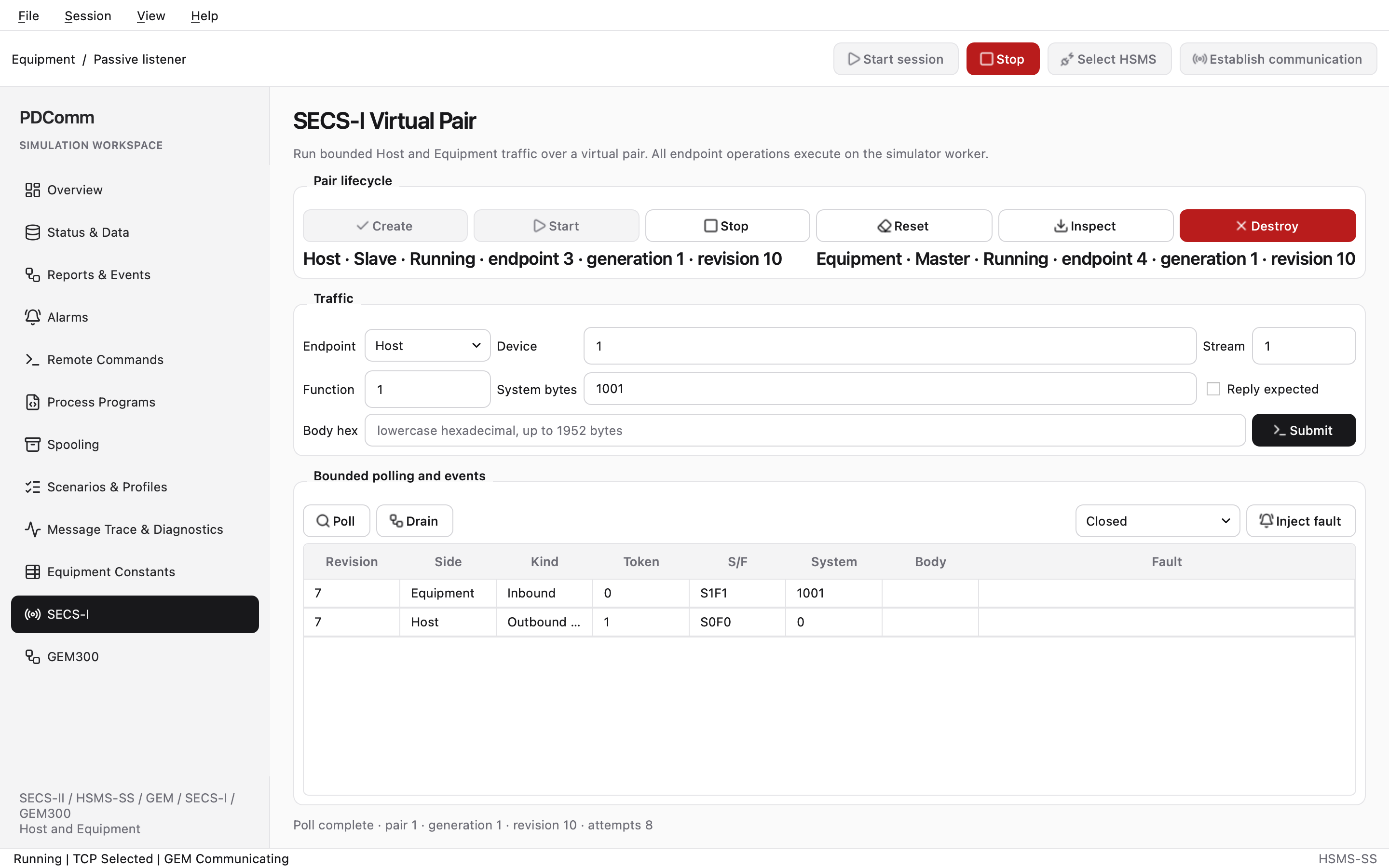
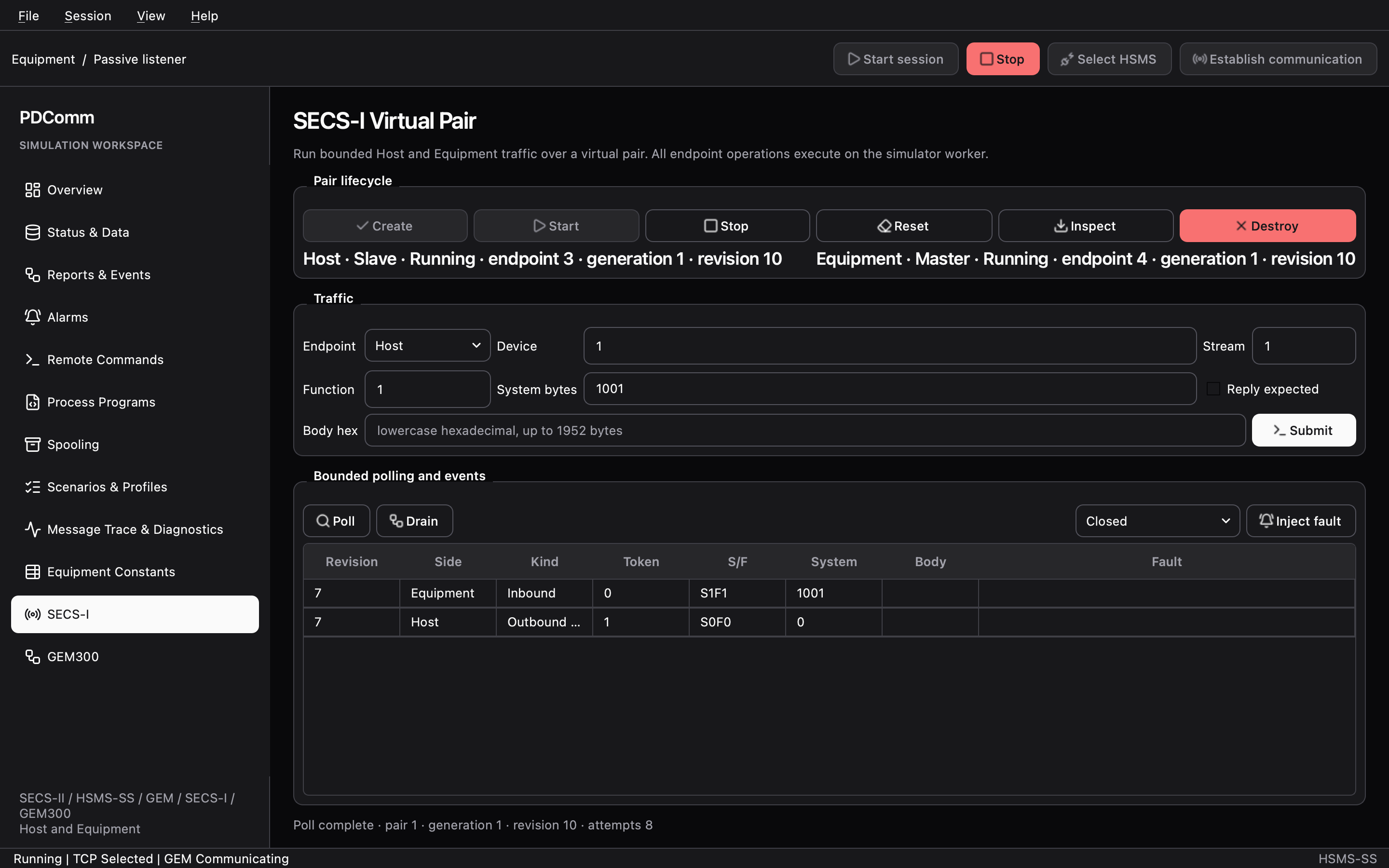
The panel has three groups:
| Group | Controls |
|---|---|
| Pair lifecycle | Create, Start, Stop, Reset, Inspect, Destroy, and the state of each endpoint |
| Traffic | Endpoint (Host or Equipment), Device (0–32767), Stream (0–127), Function (0–255), System bytes (0–4294967295), Reply expected, Body hex, and Submit |
| Bounded polling and events | Poll, Drain, the fault list (Closed, Connection reset, Broken pipe, Timed out), Inject fault, and the event table |
The event table has the columns Revision, Side, Kind, Token, S/F, System, Body, and Fault. Kind is Inbound (a message arrived), Outbound complete (a send finished), Outbound failed (a send failed), or Fault (the endpoint faulted). The table keeps the newest 128 rows.
1. Create and start a pair
Section titled “1. Create and start a pair”- Click Create. The state lines change to
Host · Slave · Created · endpoint 1 · generation 1 · revision 1andEquipment · Master · Created · .... - Click Start. Both sides change to
Running.
Start is enabled while the Host side is Created or Stopped. Submit, Poll, Stop, and Inject fault are enabled only while both sides are Running.
2. Send S1F1 from the Host
Section titled “2. Send S1F1 from the Host”- Under Traffic, set Endpoint to Host, Device to
1, Stream to1, Function to1, and System bytes to1. - Select Reply expected, leave Body hex empty, and click Submit. The feedback line ends with the send token, for example
· token 1. - Click Poll a few times. A header-only single block usually arrives after four or five polls, because every poll moves the ENQ, EOT, block, and ACK exchange forward a little.
- Click Drain. Two rows appear in the event table:
| Side | Kind | S/F | System | Body |
|---|---|---|---|---|
| Equipment | Inbound | S1F1 | 1 | |
| Host | Outbound complete |
Events stay queued inside the pair until you drain them. Drain often so the queue never reaches its limit of 32.
3. Answer from the Equipment
Section titled “3. Answer from the Equipment”- Set Endpoint to Equipment, Function to
2, and System bytes to1, the value of the request. - Clear Reply expected, enter
0100(an empty list,L[0]) in Body hex, and click Submit. - Click Poll a few times, then Drain. The Host side shows
InboundS1F2with the body0100, and the Equipment side showsOutbound complete.
The virtual pair works at the block layer only. It never builds a reply or matches it to the request for you, so you send the reply yourself as shown above.
4. Inject a fault and recover
Section titled “4. Inject a fault and recover”- Keep Endpoint set to Equipment, choose Closed in the fault list, and click Inject fault.
- Click Poll once and then Drain. A
Faultrow appears for the Equipment, with3/0in the Fault column.3is the fault kind for a closed link (PDCOMM_SECS1_FAULT_CLOSED). The Equipment state changes toFaulted. - While a side is faulted, Submit and Poll are disabled. Click Reset: the pair generation increases and both sides return to
Created. - Click Start to continue.
Connection reset, Broken pipe, and Timed out work the same way. Each one surfaces as the result of that endpoint’s read callback on the next poll.
5. Clean up
Section titled “5. Clean up”Click Stop to stop both endpoints, then click Destroy. When the feedback reads Pair destroyed; capacity released., the pair’s resources are free again. Pairs are not saved in project files.
Run the pair headless
Section titled “Run the pair headless”The secs1-virtual-pair scenario of the headless simulator runs the same steps for you. It checks single-block and multi-block transfer in both directions, simultaneous-send contention, and fault injection followed by a reset.
& "$Root\simulator\pdcomm-simulator-headless.exe" --scenario secs1-virtual-pair$LASTEXITCODE"$PDCOMM_ROOT/simulator/pdcomm-simulator-headless" --scenario secs1-virtual-pairecho $?Run it from the folder that holds pdcomm-simulator-headless in your macOS build:
./pdcomm-simulator-headless --scenario secs1-virtual-pairecho $?The scenario prints 17 lines, one JSON record per line, and exits with code 0. These records matter most:
detail |
What it proves |
|---|---|
host-to-equipment-single-block-complete |
A 32-byte body travels from the Host to the Equipment in one block. |
host-to-equipment-multi-block-complete |
A 245-byte body travels in two blocks. |
equipment-to-host-single-block-complete, equipment-to-host-multi-block-complete |
The same transfers in the other direction. |
simultaneous-contention-complete |
Both sides send at once, contention resolves, and both messages arrive. The Equipment’s message, as the master’s, completes first. |
fault-observed, fault-reset-complete |
An injected fault is observed and a reset recovers from it. |
post-reset-bidirectional-complete |
Traffic flows both ways after the reset. |
The last line is the summary:
{"schema":1,"sequence":17,"scenario":"secs1-virtual-pair","scope":"pair","kind":"summary","outcome":"passed","exit_code":0,"elapsed_ms":0,"records_emitted":17,"max_records":128,"truncated":false,"status_names":0,"status_values":0}Treat any outcome other than passed, or any nonzero exit code, as a failure. For the other scenarios and the output format, see Headless simulator.
Control the pair over MCP
Section titled “Control the pair over MCP”The simulator MCP server exposes the same operations as tools:
| Tool | GUI equivalent |
|---|---|
simulator.secs1.pair.create |
Create |
simulator.secs1.pair.get |
Inspect |
simulator.secs1.pair.start, simulator.secs1.pair.stop, simulator.secs1.pair.reset, simulator.secs1.pair.destroy |
Start, Stop, Reset, Destroy |
simulator.secs1.pair.poll |
Poll. You pass the pair clock value now yourself. |
simulator.secs1.endpoint.submit |
Submit |
simulator.secs1.events.drain |
Drain |
simulator.secs1.endpoint.inject_fault |
Inject fault. fault is closed, connection_reset, broken_pipe, or timed_out. |
Tools that change a pair take pair_id, generation, expected_revision, and operation_id. Pass the latest generation and revision from the previous response, and use a fresh operation_id for each request. If you resend the same operation_id with identical input, the server returns the stored result marked replayed.
This request sends S1F1 from the Host side:
{"jsonrpc":"2.0","method":"tools/call","params":{"name":"simulator.secs1.endpoint.submit","arguments":{"pair_id":1,"generation":1,"expected_revision":2,"operation_id":"op-3","side":"host","device_id":1,"stream":1,"function":1,"reply_expected":true,"system_bytes":1,"body_hex":""}},"id":5}Call simulator.secs1.pair.poll four times with now increasing by one, then call simulator.secs1.events.drain. The response contains the Equipment’s inbound event:
{"discarded_partial":false,"fault_detail":0,"fault_kind":0,"generation":1,"kind":1,"message":{"body_hex":"","device_id":1,"function":1,"reply_expected":true,"stream":1,"system_bytes":1},"pair_id":1,"revision":7,"side":"equipment","token":{"endpoint_id":0,"generation":0,"value":0}}kind values 1 to 4 mean Inbound, Outbound complete, Outbound failed, and Fault. Calling simulator.secs1.endpoint.submit while a side is faulted returns an INVALID_STATE error. For server setup and the rules every tool shares, see Simulator MCP server.
Move to a real serial port with the SDK
Section titled “Move to a real serial port with the SDK”The flow you just exercised works unchanged with the SDK’s SECS-I endpoint. The only difference is that you hand the endpoint read and write callbacks for a serial port your program opened, instead of memory FIFOs. The SDK never opens or closes the port; your application owns its settings and lifetime.
| Language | Main APIs |
|---|---|
| C | Pass a PdcommSecs1Io (two callbacks) and a PdcommSecs1Options to pdcomm_secs1_create. Drive the endpoint with pdcomm_secs1_start, pdcomm_secs1_poll, pdcomm_secs1_submit, and pdcomm_secs1_next_event. Creating and starting need a secs-gem license. |
| C++ | Wrap your port class in Secs1IoAdapter and construct a Secs1Endpoint. The adapter keeps C++ exceptions from crossing the C ABI. |
| C# | Pass Secs1Read and Secs1Write delegates to Secs1Worker.StartAsync, then exchange messages with SubmitAsync and ReadEventsAsync. |
Follow these rules for callbacks and threads:
- Callbacks must not block. When no bytes can be read or written right now, return
PDCOMM_SECS1_IO_WOULD_BLOCK(Secs1IoStatus.WouldBlockin C#) immediately. The reported byte count must never exceedcapacity. - Callbacks run only inside
poll. Calling back into the same endpoint from a callback returnsPDCOMM_INVALID_STATE. - Create, use, and destroy an endpoint on the thread that created it. In C#,
Secs1Workerowns a dedicated thread that follows this rule for you. - Create each endpoint as either master or slave (
priority). If one side is the master, the other must be the slave, or contention never resolves. Under SEMI E4 the equipment is the master (PDCOMM_SECS1_MASTER) and the host the slave (PDCOMM_SECS1_SLAVE), and the virtual pair uses the same layout. If your peer device expects a different layout, match its setting. - When a body exceeds
max_outbound_body_bytesormax_body_bytes, or needs more blocks thanmax_outbound_blocksormax_blocks,pdcomm_secs1_submitreturnsPDCOMM_LIMIT_EXCEEDED, andSubmitAsyncin C# fails withPdcommStatus.LimitExceeded.PDCOMM_INVALID_ARGUMENTis reserved for NULL arguments and invalid message fields. - The timer options (
grant_wait_ticks,ack_wait_ticks,inbound_progress_ticks,inter_block_ticks) use the same unit as thenowvalue you pass topoll. The C#Secs1Workerpasses milliseconds. For how these options map to the SEMI E4 timers, see SECS-I background.
Next steps
Section titled “Next steps”- Explore the other workspaces in Simulator GUI.
- Look up the option fields and event information in the API reference.