Industrial communication SDK
Equipment communication for SECS/GEM, Modbus and OPC UA
C, C++ and .NET libraries with simulators, documentation in Korean and English, and MCP servers for AI tools. Packages for Windows x64 and Linux x64; macOS arm64 for development.
C · C++ · .NET · Qt · MFC
Standards and protocols
- SEMI E5 SECS-II
- SEMI E37 HSMS
- SEMI E4 SECS-I
- SEMI E30 GEM
- GEM300 capability catalog
- Modbus TCP · RTU · ASCII
- Modbus/TCP Security
- OPC UA opc.tcp
- OPC UA PubSub over MQTT 5.0
Coverage notes are on each product page.
Modules
Choose the modules you need
Each module is licensed separately. Evaluate any combination for 30 days.
SEMI E4 · E5 · E30 · E37
SECS/GEM
Build GEM equipment and hosts that communicate over HSMS and SECS-I, with SECS-II messages and the GEM capabilities for both sides.
Learn moreE40 · E87 · E90 · E94 axes
GEM300 capability catalog
A declarative catalog in the SECS/GEM SDK that records, profile by profile, which GEM300 areas an equipment configuration covers and to what degree.
Learn moreTCP · RTU · ASCII
Modbus
Build Modbus TCP, RTU and ASCII clients, servers and TCP-to-RTU/ASCII gateways, driven by one JSON command interface.
Learn moreTLS 1.2 · 1.3 · X.509v3
Modbus/TCP Security
Carry Modbus TCP inside TLS. Client and server verify each other's X.509v3 certificates, and the server authorizes each function code by the role in the client certificate.
Learn moreopc.tcp · UA Binary
OPC UA Client
Put an OPC UA client into your application. The SDK handles secure channels, sessions and certificate validation.
Learn moreopc.tcp · UA Binary
OPC UA Server
Put an in-memory OPC UA server into your application. Register variables, expose them on secure endpoints and answer clients while you call poll.
Learn moreMQTT 5.0 · UADP
MQTT for OPC UA PubSub
MQTT 5.0 as the broker transport of OPC UA PubSub. The OPC UA simulator's GUI, headless program and MCP server publish and subscribe UADP messages through a broker.
Learn moreCode
Real code from the SDK examples
These excerpts are copied from the examples that ship with the SDK.
OPC UA C client
memset(&options, 0, sizeof(options));
options.struct_size = (uint32_t)sizeof(options);
options.version = 1;
status = pdcomm_opcua_client_options_init(&options);
if (status != PDCOMM_OPCUA_OK) { print_error("options", status); goto done; }
options.timeout_ms = timeout;
options.policy = policy;
options.mode = mode;
options.flags = policy == PDCOMM_OPCUA_POLICY_NONE ? PDCOMM_OPCUA_ALLOW_NONE : 0;
options.certificate_der.data = certificate;
options.certificate_der.size = certificate_size;
options.private_key_pem.data = key;
options.private_key_pem.size = key_size;
options.trusted_server_der.data = trust;
options.trusted_server_der.size = trust_size;
status = pdcomm_opcua_client_connect((const uint8_t *)argv[1], strlen(argv[1]), &options, &client);
/* The SDK copied the identity; wipe the private key now. */
example_wipe(key, key_size);
key = NULL;
if (status != PDCOMM_OPCUA_OK) { print_error("connect", status); goto done; }
status = pdcomm_opcua_client_activate_anonymous(client);
if (status != PDCOMM_OPCUA_OK) { print_error("activate", status); goto done; }
printf("Session activated (anonymous)\n");
From the OPC UA C client example: open a SignAndEncrypt secure channel with the client certificate, private key and trusted server certificate, then activate an anonymous session.
SECS/GEM C++ tutorial
const auto limits = tutorial::itemLimits();
pdcomm::TcpEndpoint transport(argv[3], tutorial::tcpOptions(active ? PDCOMM_TCP_ACTIVE : PDCOMM_TCP_PASSIVE));
std::unique_ptr<pdcomm::GemHost> host;
std::unique_ptr<pdcomm::GemEquipment> equipment;
if (hostRole) host.reset(new pdcomm::GemHost(std::move(transport), pdcomm::gemHostOptions(limits, 64)));
else {
    equipment.reset(new pdcomm::GemEquipment(std::move(transport), limits,
        pdcomm::GemControl::HostOffline, pdcomm::GemOnlineMode::Remote, "PDComm", "0.1.0", 8, 1024, 4096));
    const std::vector<uint8_t> temperature = {0x41, 0xac, 0, 0};
    auto value = pdcomm::SecsItem::primitive(PDCOMM_SECS_F4, temperature, limits);
    equipment->registerStatus(1, "Temperature", "C", value);
    auto lot = pdcomm::SecsItem::primitive(PDCOMM_SECS_ASCII, std::vector<uint8_t>{'L','O','T','-','0','0','1'}, limits);
    equipment->registerStatus(2, "Lot", "", lot);
}
pdcomm::GemEndpoint *endpoint = hostRole ? static_cast<pdcomm::GemEndpoint*>(host.get()) : equipment.get();
endpoint->start();
if (!active) std::cout << "LISTEN " << endpoint->tcp().localAddress() << std::endl;
From the C++ tutorial used by the SECS/GEM quickstart: create the HSMS transport, create a GemHost or GemEquipment, register two status variables on the equipment and start it.
.NET SECS/GEM demo
static async Task<GemEquipmentWorker> StartEquipmentAsync(
    string address,
    HsmsOptions transport,
    SecsLimits limits,
    HsmsWorkerOptions worker,
    CancellationToken cancellationToken)
{
    using SecsItem temperature = SecsItem.FromF4([21.5f], limits);
    using SecsItem lot = SecsItem.FromAscii("LOT-001", limits);
    GemStatusVariable[] variables =
    [
        new(1, "Temperature", "C", temperature),
        new(2, "Lot", "", lot),
    ];
    return await GemEquipmentWorker.StartAsync(
        address,
        transport,
        DemoOptions.Equipment(limits),
        worker,
        variables,
        cancellationToken);
}
From the .NET SECS/GEM demo: build Temperature and Lot status variables as SecsItems and start a GemEquipmentWorker asynchronously.
Qt Modbus worker
using Endpoint = pdcomm::modbus::QtEndpoint;
using Done = std::function<void(const QJsonObject &result, const QString &error)>;

// A worker thread that owns one endpoint.
class Worker {
public:
  Worker() {
    context_->moveToThread(&thread_);
    // The context and its poll timer are deleted on the worker thread.
    QObject::connect(&thread_, &QThread::finished, context_, &QObject::deleteLater);
    thread_.start();
  }
  ~Worker() {
    thread_.quit();
    thread_.wait();
  }

  // Runs one command on the worker thread and hands the result to `done` on
  // the main thread.
  void call(const QJsonObject &command, Done done) {
    QMetaObject::invokeMethod(context_, [this, command, done] {
      QJsonObject result;
      QString error;
      try {
        result = endpoint_.call(command);
      } catch (const std::exception &failure) {
        error = QString::fromUtf8(failure.what());
      }
      QMetaObject::invokeMethod(qApp, [done, result, error] { done(result, error); },
                                Qt::QueuedConnection);
    }, Qt::QueuedConnection);
  }
From the Qt Modbus example: a worker thread owns a QtEndpoint, runs QJsonObject commands and hands results back to the main thread, so the GUI never blocks.
Simulators
Test against a simulator before the equipment arrives
Each simulator runs as a desktop app, a headless program and an MCP server, and uses the same engine as the SDK.
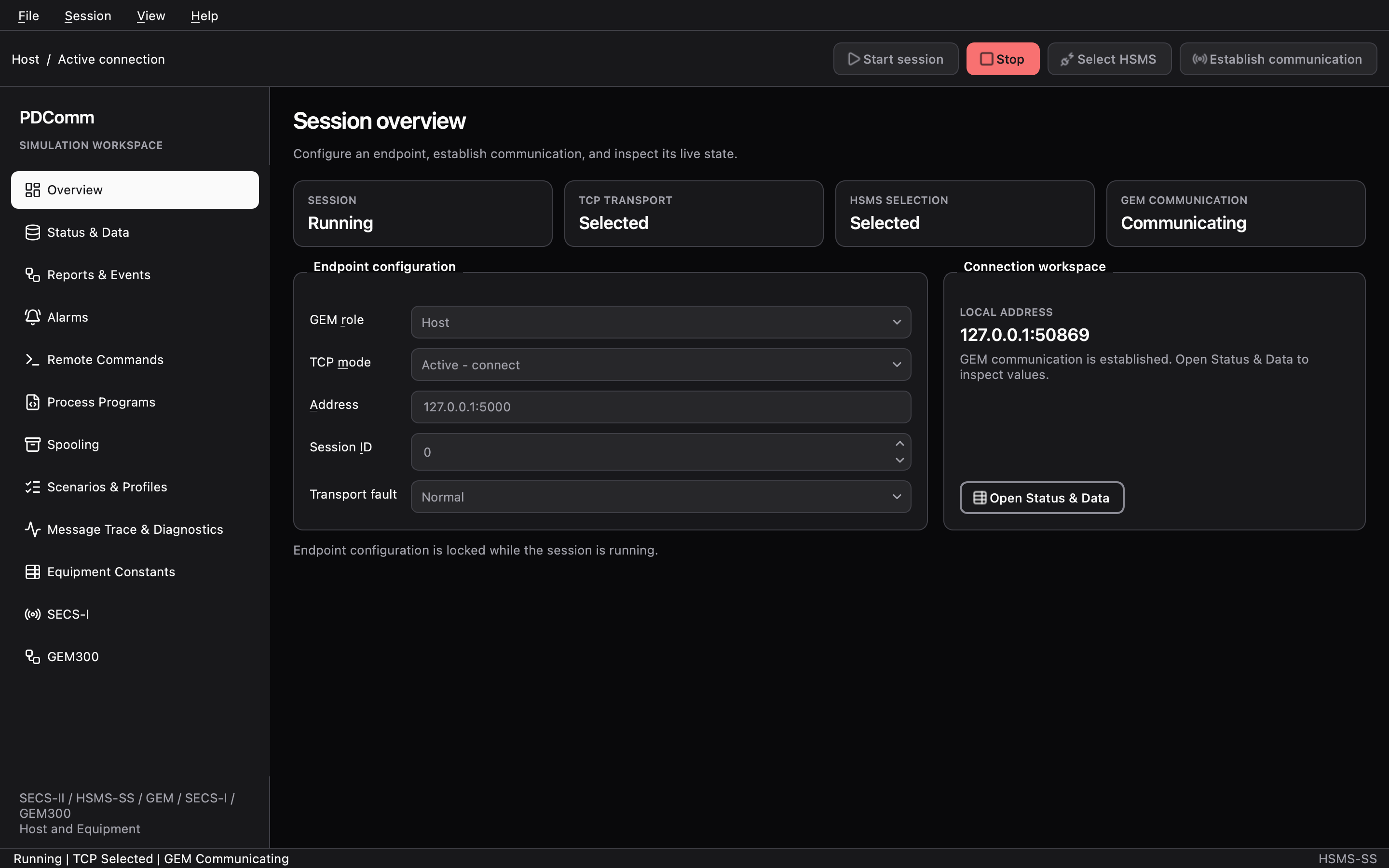
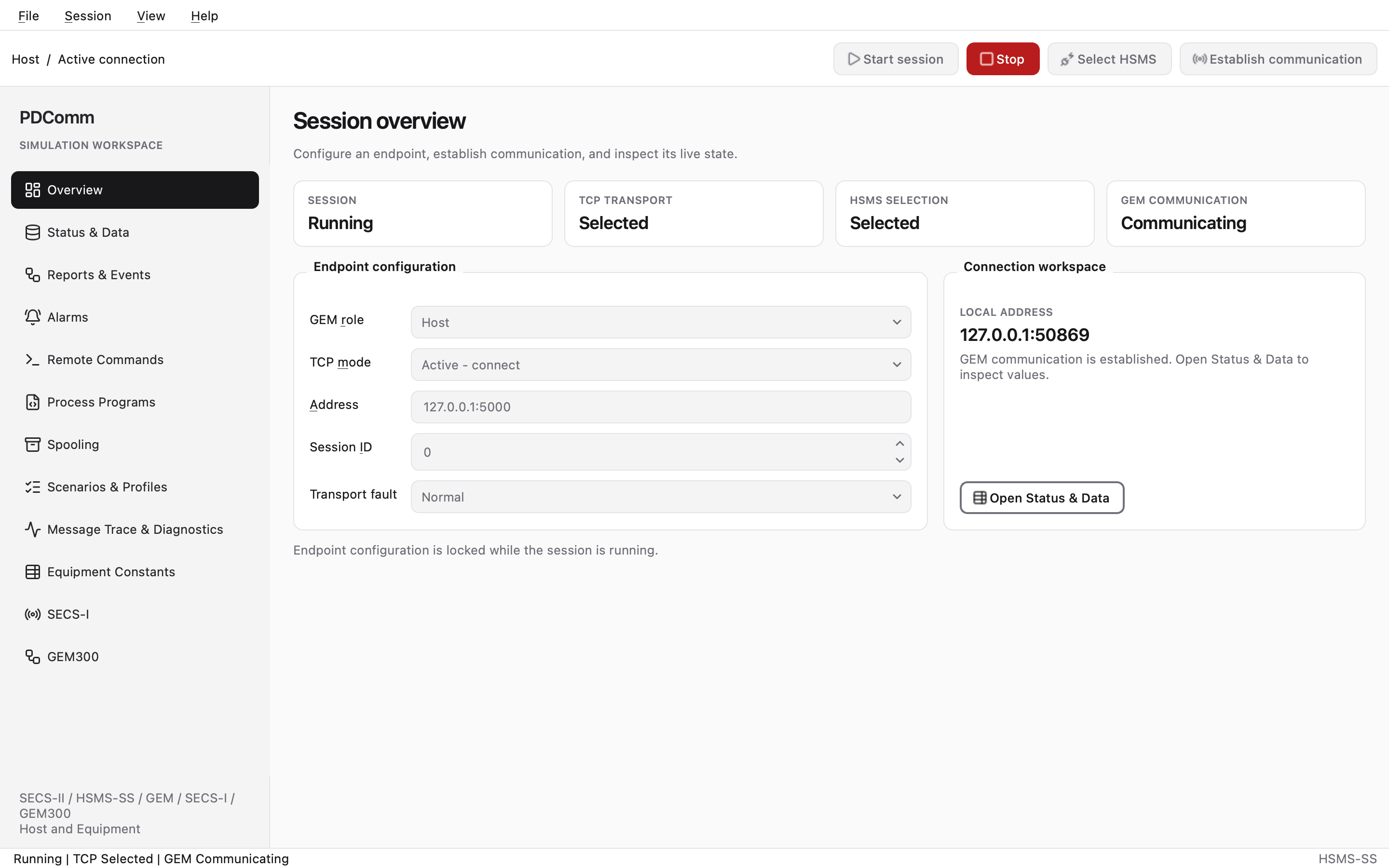
SECS/GEM simulator
Plays the host or the equipment side of a GEM connection, with 12 workspaces from Overview to SECS-I and GEM300.
Simulator guide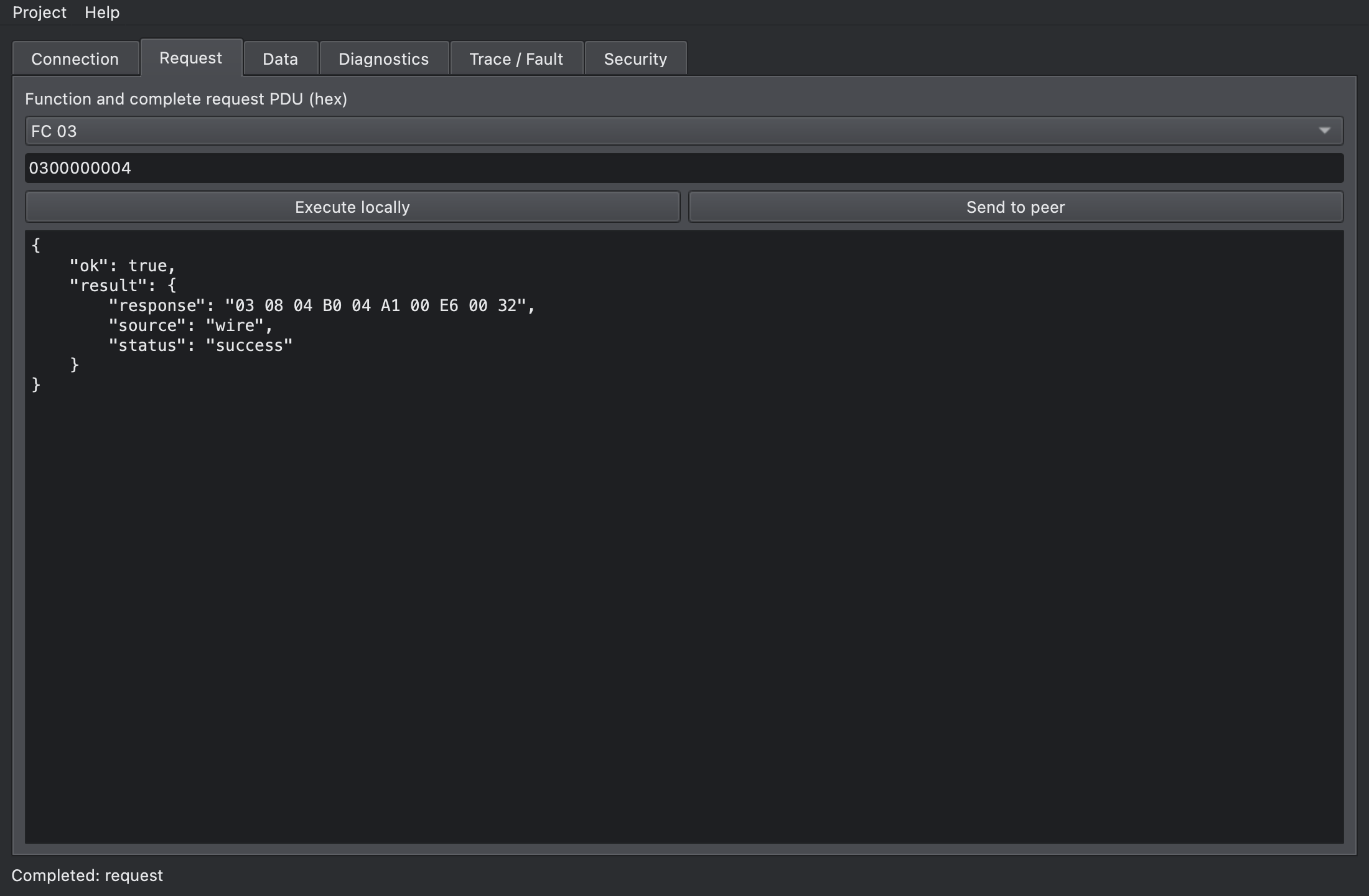
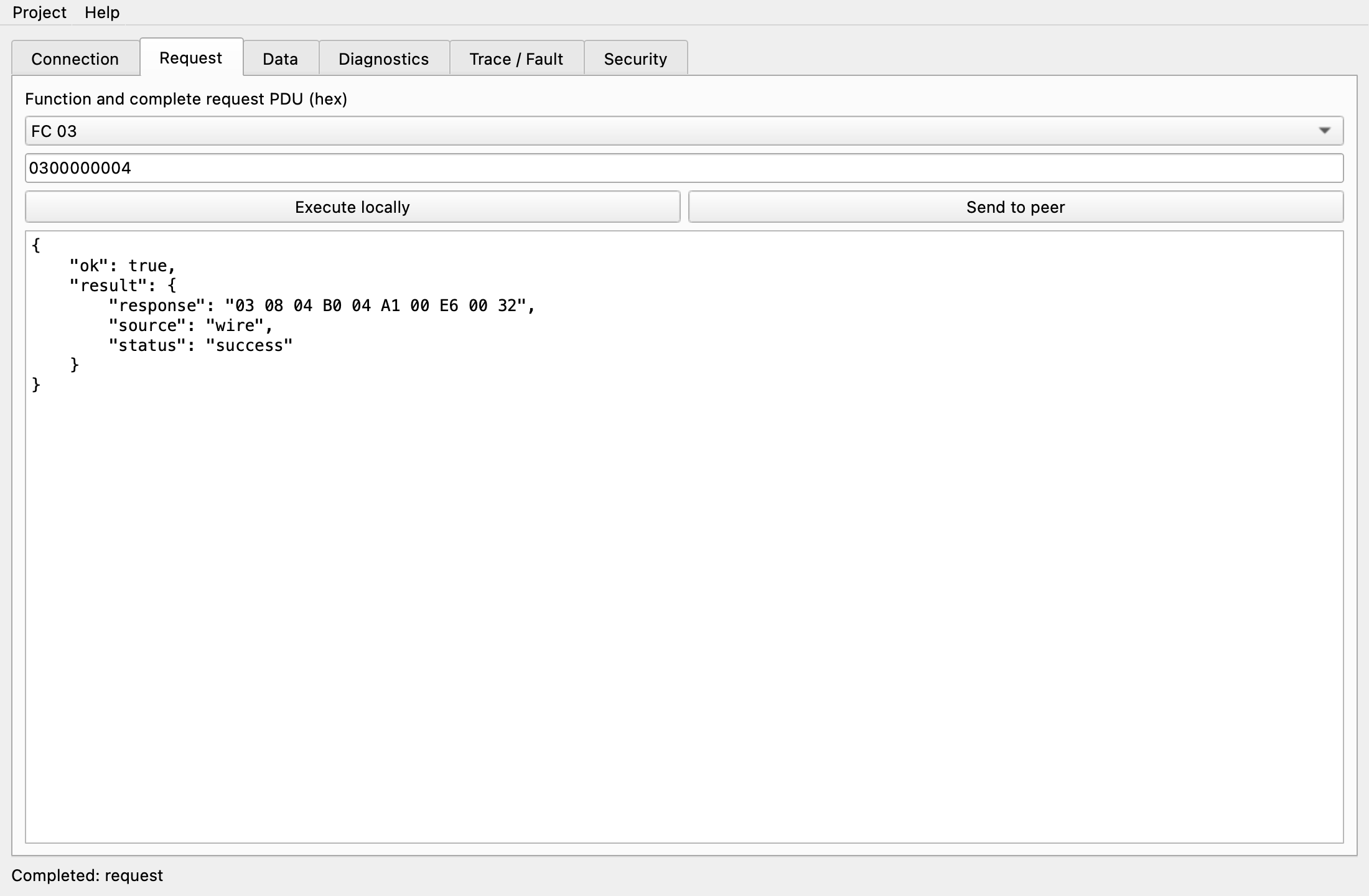
Modbus simulator
Tests Modbus servers, clients and gateways. Each button sends one JSON command, the same as the SDK.
Simulator guide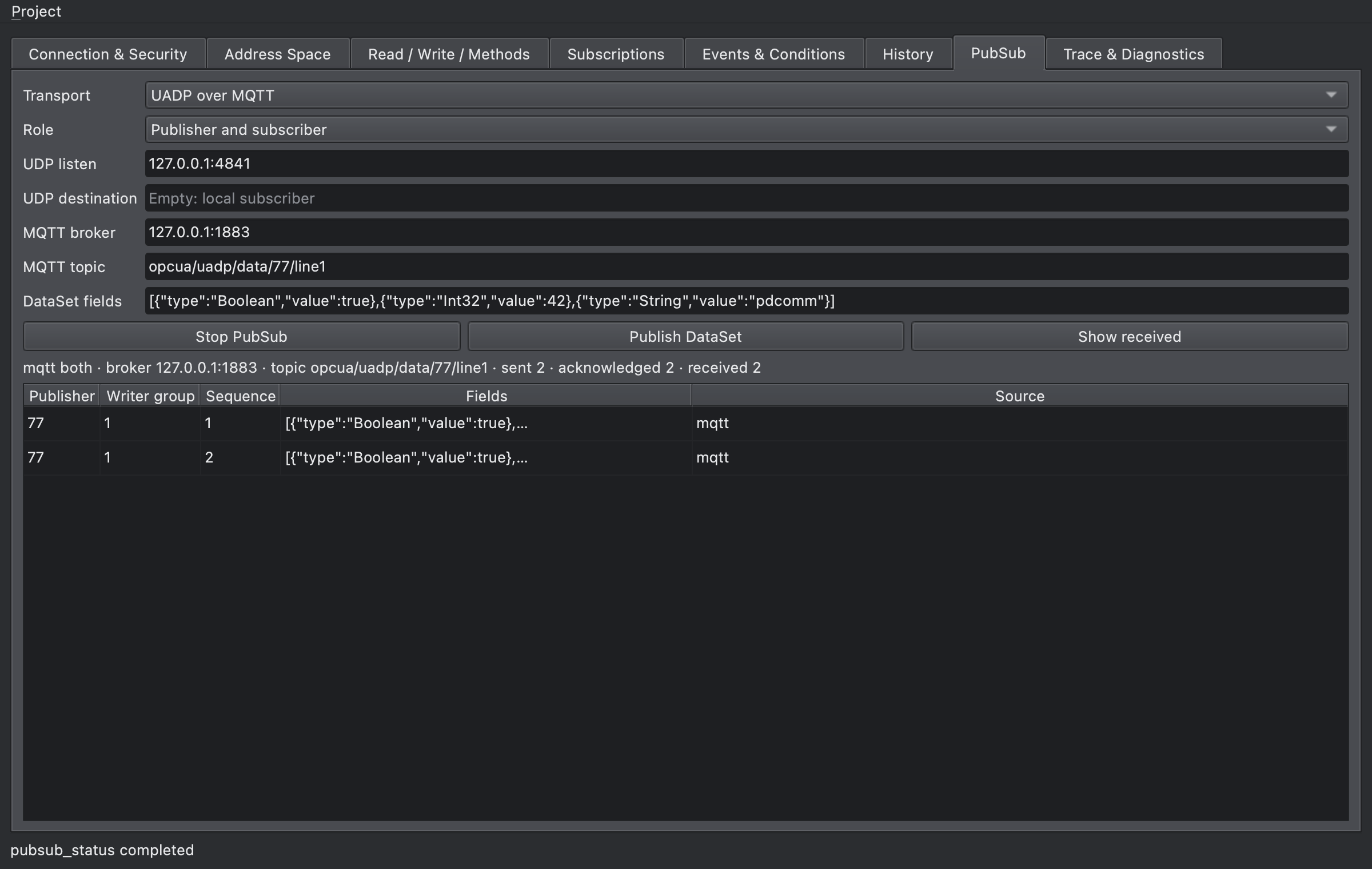
OPC UA simulator
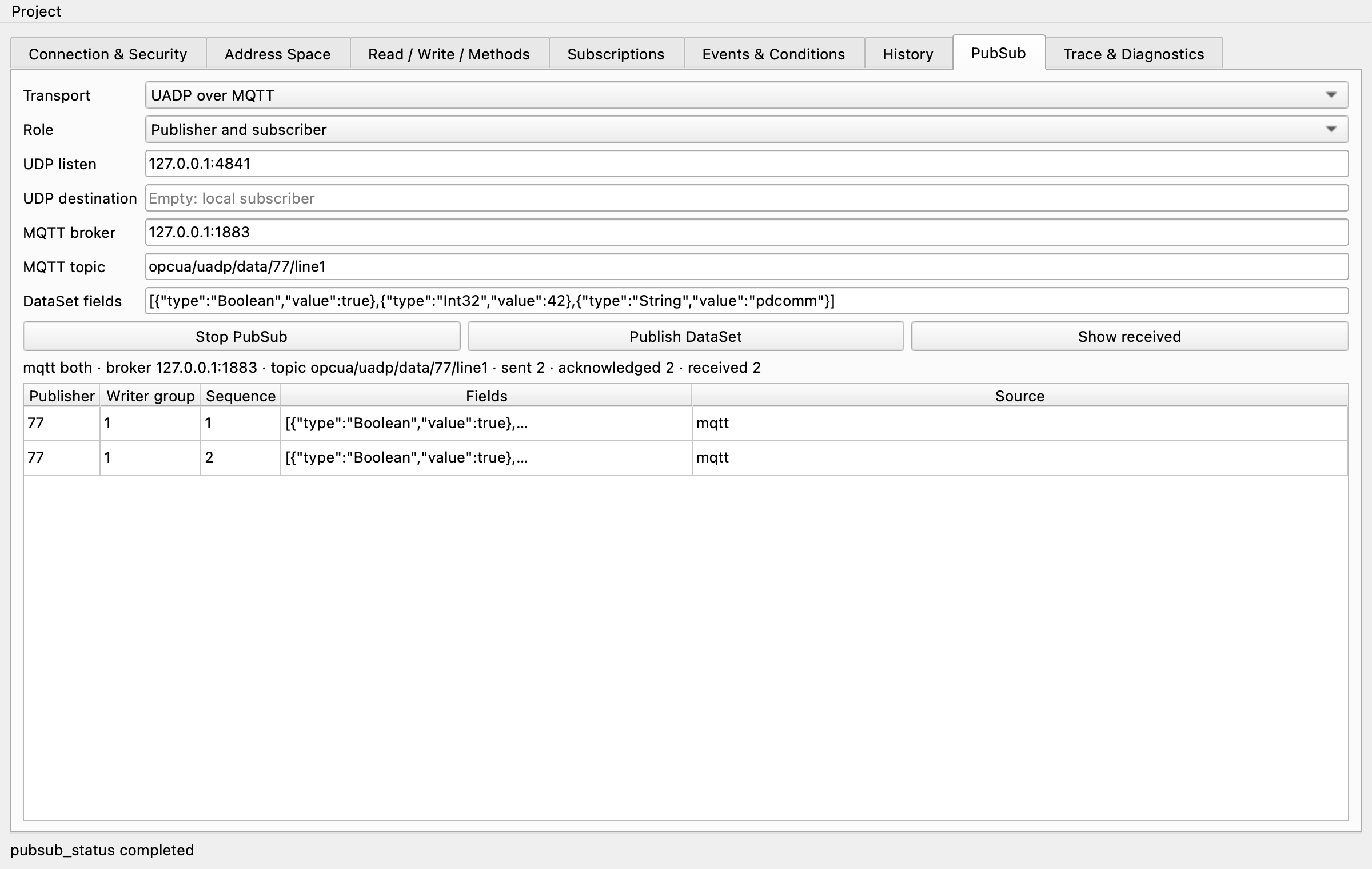
Runs an OPC UA server and client in one window, with workspaces from Address Space to PubSub over UDP or MQTT.
Simulator guide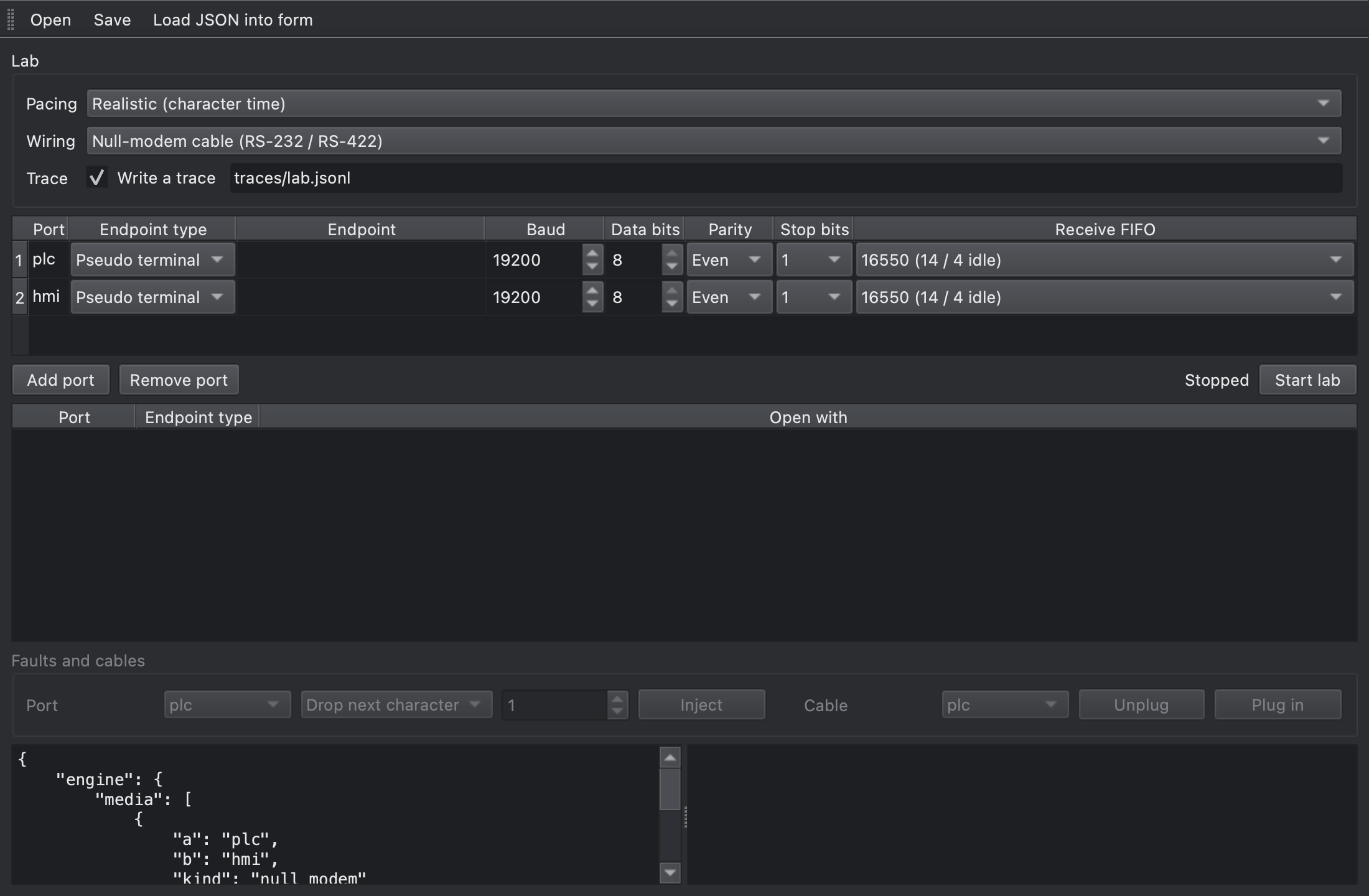
Virtual serial manager
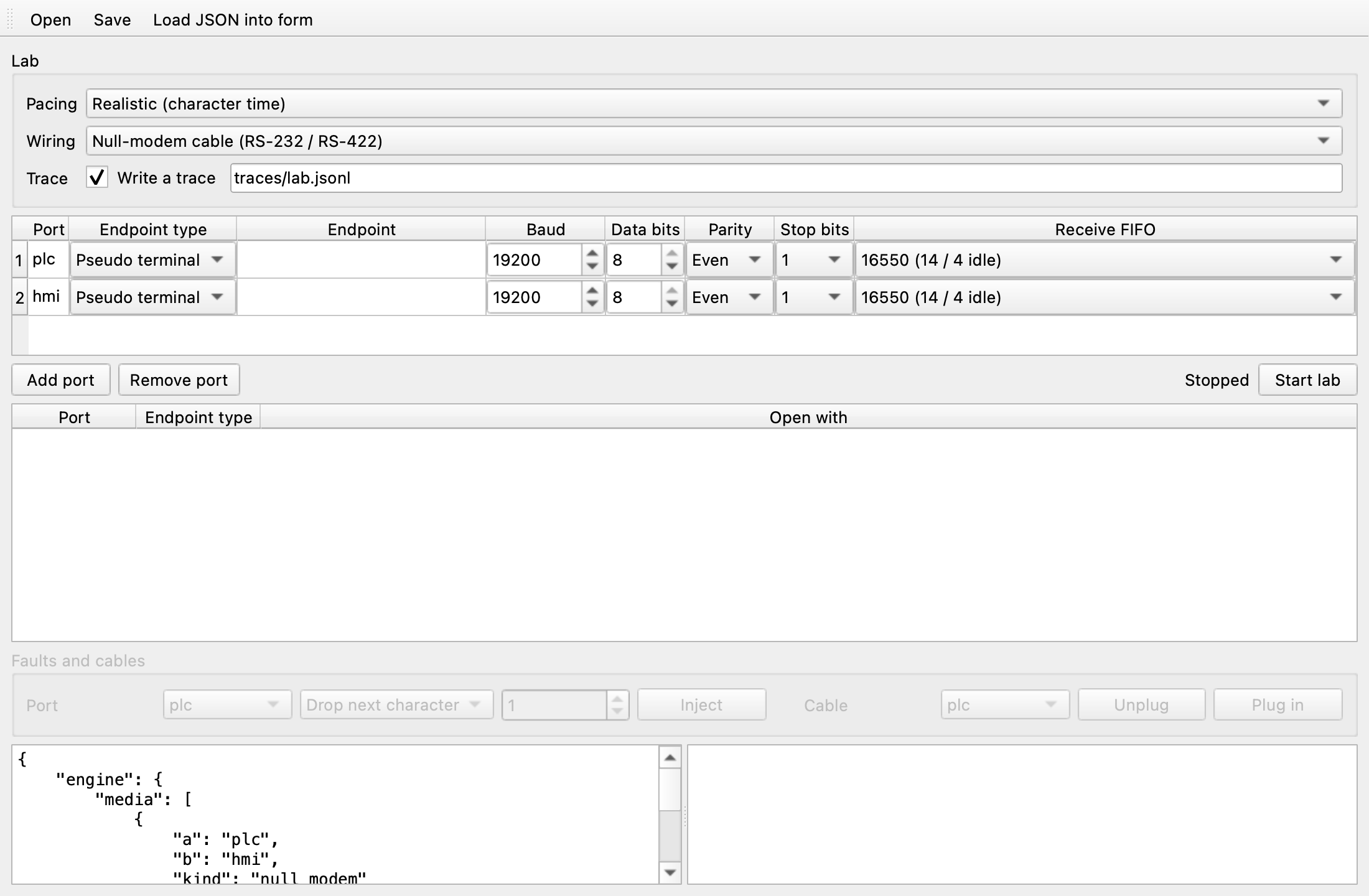
Joins virtual serial ports with null-modem cables, RS-422/RS-485 buses or RFC 2217, with fault injection.
Simulator guidePlatforms
Platforms and bindings
What each product ships for, as listed in the documentation.
| Product | Windows x64 | Linux x64 | macOS arm64 | Bindings |
|---|---|---|---|---|
| SECS/GEM SDK and simulator | Package | Package | Development only | C, C++, .NET (Qt examples) |
| Modbus SDK and simulator | Package | Package | Package | C, C++, .NET, Qt, MFC |
| OPC UA SDK and simulator | Package | Package | Package | C, C++, .NET, Qt and MFC clients |
| MQTT (OPC UA PubSub) | Via OPC UA simulator | Via OPC UA simulator | Via OPC UA simulator | No SDK binding |
macOS is for development and testing; run final tests on the operating system you deploy to. Linux packages are verified on Ubuntu 24.04. Packages don't include .NET; reference the assemblies or source projects in the SDK folder.
AI tools
Documentation your AI tools can read
Give coding assistants accurate answers from the same documentation you read.
pdcomm-docs MCP server
A docs search CLI that also runs as a stdio MCP server. Read-only tools search the Korean and English docs and the C, C++ and .NET API reference, offline.
Simulator MCP servers
The SECS/GEM, Modbus and OPC UA simulators and the virtual serial tool run as MCP servers, so an assistant can drive a test setup.
llms.txt
The docs publish llms.txt and llms-full.txt in both languages, and every page is available as Markdown.
Licensing
Simple developer licensing
- Licensed per named developer, per module.
- Royalty-free distribution for OPC UA, Modbus and MQTT applications.
- SECS/GEM equipment adds a runtime license per machine, bound to its host id.
- 30-day evaluation for every account. First year of maintenance included.
Try PDComm on your own equipment
Create an account, choose your modules and platform, and download with a 30-day evaluation license.