First communication
In this tutorial, you:
- Run an equipment and a host interactively and watch the HSMS connection state and the GEM communication state change.
- Request status variable names and values and read the SECS-II bodies.
- Send online and offline requests and read their acknowledgement codes.
- See what happens to a request the equipment doesn’t handle.
- Connect the same host to the equipment in the simulator GUI.
Before you begin
Section titled “Before you begin”- Finish Set up your environment and open two terminals with the environment variables set.
- Have the C++ example
build/pdcomm-tutorialand the C# examplebuild/managed/bin/PDComm.Tutorial/release/PDComm.Tutorial.dllbuilt.
The commands use a Linux or macOS shell. On Windows, replace "$PDCOMM_ROOT/build/pdcomm-tutorial" with & "$Root\build\pdcomm-tutorial.exe" and "$PDCOMM_NATIVE" with "$Native".
1. Start the C++ equipment
Section titled “1. Start the C++ equipment”In the first terminal, start the equipment in passive mode:
"$PDCOMM_ROOT/build/pdcomm-tutorial" equipment passive 127.0.0.1:5000LISTEN 127.0.0.1:5000Commands: state, establish, identity, values, names, online, offline, linktest, quitThe equipment registers SVID 1 (Temperature, F4 21.5) and SVID 2 (Lot, ASCII LOT-001) and starts in the HostOffline control state.
2. Connect the C# host
Section titled “2. Connect the C# host”In the second terminal, start the C# host in active mode. Besides the C++ commands, the C# example also sends directory, alarm list and formatted process program requests.
dotnet "$PDCOMM_ROOT/build/managed/bin/PDComm.Tutorial/release/PDComm.Tutorial.dll" "$PDCOMM_NATIVE" host active 127.0.0.1:5000When the Commands: line appears, the connection and the Select procedure are done. Type the commands in the following steps one at a time, and wait for each result.
3. Establish GEM communication
Section titled “3. Establish GEM communication”stateestablishstateSTATE tcp=Selected gem=NotCommunicatingRESULT kind=2 request=1 outcome=2 status=CommunicationEstablishedSECS-II 0102210100010241065044436F6D6D4105302E312E30STATE tcp=Selected gem=Communicating- After the TCP connection and the HSMS Select, GEM is still NotCommunicating. It becomes Communicating only after the host sends S1F13 and receives an S1F14 that carries COMMACK 0.
- The C# example prints state names; the C++ example prints numbers.
tcp=4means Selected,gem=1NotCommunicating andgem=3Communicating.
The equipment terminal shows the result of the S1F13 it received. kind=1 marks a received primary and outcome=2 means communication was established.
RESULT kind=1 request=0 outcome=2SECS-II 01 004. Read status variable names and values
Section titled “4. Read status variable names and values”names 1 2values 2 1values 9RESULT kind=2 request=4 outcome=6 status=NamesReceivedSECS-II 01020103B10400000001410B54656D70657261747572654101430103B1040000000241034C6F744100RESULT kind=2 request=3 outcome=5 status=ValuesReceivedSECS-II 010241074C4F542D303031910441AC0000RESULT kind=2 request=3 outcome=5 status=ValuesReceivedSECS-II 01010100names 1 2sends S1F11. The S1F12 body holds oneL[3] { U4 SVID, A name, A units }per SVID.Temperaturehas the unitsC;Lothas empty units.values 2 1sends S1F3. The values in S1F4 come back in the order you asked for: hereA "LOT-001"first, thenF4 21.5.- For an SVID the equipment doesn’t know, such as
values 9, the equipment returns a zero-length listL[0](01 00) in that position. That isn’t an error, so always check the format and length of each value.
5. Request online and offline
Section titled “5. Request online and offline”onlineofflineRESULT kind=2 request=6 outcome=12 status=OnlineAckSECS-II 210100RESULT kind=2 request=5 outcome=11 status=OfflineAckSECS-II 210100online sends S1F17 and offline sends S1F15. The reply body 21 01 00 is B 0x00: ONLACK 0 (accepted) and OFLACK 0 (acknowledged). In the equipment terminal, outcome=8 (OnlineAccepted) and outcome=7 (OfflineAccepted) show that the equipment’s control state really changed.
The communication state and the control state are separate. Equipment can be offline while it’s Communicating, and remote commands may also require a control state such as OnlineRemote. For details, see GEM state models.
6. Send a linktest
Section titled “6. Send a linktest”linkteststatelinktest sends the HSMS control message Linktest.req. It isn’t a GEM request, so no RESULT line appears. Without a reply, the connection drops after T6, so if the following state still shows tcp=Selected, the linktest succeeded. The simulator’s Message Trace & Diagnostics workspace shows the round trip itself.
7. Send requests the equipment doesn’t handle
Section titled “7. Send requests the equipment doesn’t handle”The tutorial equipment has no alarm catalog and no event directory. Type these in the host:
alarmsdirectoriesThe host prints:
RESULT kind=3 request=13 outcome=0 status=NoneRESULT kind=2 request=21 outcome=36 status=DataDirectoryReceivedSECS-II 0100RESULT kind=3 request=22 outcome=0 status=NoneThe equipment prints:
RESULT kind=5 request=0 outcome=0SECS-II 01 00ABORT S5F0 for S5F5RESULT kind=1 request=0 outcome=38SECS-II 01 00RESULT kind=5 request=0 outcome=0SECS-II 01 00ABORT S1F0 for S1F23alarmssends S5F5 (list alarms request). The equipment’s GEM layer reportskind=5(Unhandled). The SDK never answers an unhandled request on its own, so the example answers every unhandled request that expects a reply (W-bit set) with the abort message S5F0 and prints anABORTline.- The host receives S5F0 and ends the request at once with
kind=3(Failed). Without any reply, the host would wait until T3 expires. directoriessends S1F21 (data directory) and S1F23 (event directory). The equipment handles S1F21 and returns an empty list; it aborts S1F23.
Here’s the C# example, with that part highlighted:
using System.Collections.Concurrent;using PDComm;
if (args.Length is < 4 or > 5 || args[1] is not ("host" or "equipment") ||    args[2] is not ("active" or "passive") || args.Length == 5 && args[4] != "--auto"){    Console.Error.WriteLine("Usage: PDComm.Tutorial <absolute-library-path> <host|equipment> <active|passive> <numeric-IP:port> [--auto]");    return 2;}try{    PdcommRuntime.Initialize(Path.GetFullPath(args[0]));    bool automatic=args.Length==5; var mode=args[2]=="active"?HsmsMode.Active:HsmsMode.Passive;    using GemEndpoint endpoint=args[1]=="host"?        GemHost.Create(args[3],TutorialOptions.Transport(mode),TutorialOptions.HostOptions()):        GemEquipment.Create(args[3],TutorialOptions.Transport(mode),TutorialOptions.EquipmentOptions());    var api=endpoint.FormattedPrograms; TutorialOptions.Configuration().Configure(endpoint);    using var id=SecsItem.FromAscii("PP-DEMO",TutorialOptions.Limits);    using var code=SecsItem.FromAscii("RUN",TutorialOptions.Limits);    var payload=new GemFormattedProgramPayload(id,"PDComm","0.1.0",[new(code,[])]);    if(endpoint is GemEquipment equipment)    {        api.SeedQuery(payload);        using var temperature=SecsItem.FromF4([21.5f],TutorialOptions.Limits);        using var lot=SecsItem.FromAscii("LOT-001",TutorialOptions.Limits);        equipment.RegisterStatus(1,"Temperature","C",temperature); equipment.RegisterStatus(2,"Lot","",lot);        api.ReplaceCapabilities("PDComm","0.1.0",4,4096,[TutorialOptions.Capability()]);    }    endpoint.Start();    if(mode==HsmsMode.Passive) Console.WriteLine($"LISTEN {endpoint.GetLocalAddress()}");    var input=new ConcurrentQueue<string>();    if(!automatic)    {        Console.WriteLine("Commands: state, establish, identity, values, names, online, offline, linktest, directories, alarms, transfer, query, verify-request, verify-report, capability, negotiate, store, dryrun, execute, quit");        _=Task.Run(()=> { string? line; while((line=Console.ReadLine()) is not null) { input.Enqueue(line); if(line=="quit") return; } input.Enqueue("quit"); });    }    int step=0,received=0; DateTime deadline=DateTime.UtcNow.AddSeconds(20),finish=deadline; bool finishing=false,quit=false;    while(!quit)    {        endpoint.Poll(); HsmsEvent? current;        while((current=endpoint.NextEvent()) is not null)        {            using(current) using(var result=endpoint.HandleEvent(current))            {                var info=result.GetInfo();                if(info.Kind!=GemResultKind.Ignored)                {                    Console.WriteLine($"RESULT kind={(uint)info.Kind} request={(uint)info.RequestKind} outcome={(uint)info.Outcome} status={info.Outcome}");                    using var body=result.GetBody(); if(body is not null) Console.WriteLine("SECS-II "+Convert.ToHexString(body.Encode()));                }                if(info.Kind==GemResultKind.Unhandled && current.GetInfo().Header is { ReplyExpected: true } primary)                {                    // No GEM handler took this primary. Abort it with SxF0 so the peer does not                    // wait for T3 and the primary does not keep holding an incoming slot.                    try                    {                        endpoint.ReplyRaw(current,primary.Stream,0,false,ReadOnlySpan<byte>.Empty);                        Console.WriteLine($"ABORT S{primary.Stream}F0 for S{primary.Stream}F{primary.Function}");                    }                    catch(PdcommException error) { Console.Error.WriteLine($"REPLY ERROR status={error.Status}"); }                }                if(info.Kind==GemResultKind.Primary)                {                    switch(info.RequestKind)                    {                        case GemRequestKind.FormattedTransfer: api.RespondTransferAndStore(result,0,GemFormattedProgramStoreAction.Upsert); break;                        case GemRequestKind.FormattedQuery: api.RespondQuery(result); break;                        case GemRequestKind.FormattedVerificationRequest: api.RespondVerificationRequest(result,0); break;                        case GemRequestKind.FormattedVerificationReport: api.RespondVerificationReport(result); break;                        case GemRequestKind.FormattedCapability: api.RespondCapabilityQuery(result); break;                        case GemRequestKind.FormattedVerificationNegotiation: api.RespondVerification(result,0); break;                    }                    if(automatic && endpoint is GemEquipment && ++received==3) { finishing=true; finish=DateTime.UtcNow.AddMilliseconds(500); }                }                if(automatic && endpoint is GemHost host && info.Kind==GemResultKind.Response)                {                    if(step==1 && info.Outcome==GemOutcome.CommunicationEstablished) { host.AreYouOnline(); step=2; }                    else if(step==2 && info.Outcome==GemOutcome.EquipmentIdentity) { host.RequestStatusValues([1,2]); step=3; }                    else if(step==3 && info.Outcome==GemOutcome.ValuesReceived) { finishing=true; finish=DateTime.UtcNow.AddMilliseconds(500); }                }            }        }        if(automatic && endpoint is GemHost autoHost && step==0 && endpoint.GetTransportState().State==HsmsConnectionState.Selected) { autoHost.BeginCommunication(); step=1; }        if(automatic && finishing && DateTime.UtcNow>=finish) break;        if(automatic && DateTime.UtcNow>deadline) throw new TimeoutException("Tutorial peer response deadline expired");        if(input.TryDequeue(out string? line))        {            try            {                uint[] ids=[1,2];                if(line.StartsWith("values ",StringComparison.Ordinal) || line.StartsWith("names ",StringComparison.Ordinal))                {                    string[] fields=line.Split(' ',StringSplitOptions.RemoveEmptyEntries);                    ids=fields.Skip(1).Select(uint.Parse).ToArray(); line=fields[0];                }                if(line=="quit") quit=true;                else if(line=="state") Console.WriteLine($"STATE tcp={endpoint.GetTransportState().State} gem={endpoint.GetState().Communication}");                else if(line=="linktest") endpoint.Linktest();                else if(line=="transfer") api.SubmitTransfer(payload);                else if(line=="query") api.SubmitQuery(id);                else if(line=="verify-request") api.SubmitVerificationRequest(payload);                else if(line=="verify-report") api.SubmitVerificationReport(id,[new(1,1,"demo issue")]);                else if(line=="capability") api.SubmitCapabilityQuery();                else if(line=="negotiate") { using var prepared=api.PrepareVerification(id,[]); api.SubmitPreparedVerification(prepared); }                else if(line=="store") { api.PutProgram(payload,GemFormattedProgramStoreAction.Upsert); Console.WriteLine($"STORE entries={api.GetStoreInfo().EntryCount}"); }                else if(line is "dryrun" or "execute")                {                    var selection=api.SelectProgram(id); using var report=api.DryRun(selection,new(1,32,8192));                    Console.WriteLine($"DRYRUN outcome={(GemFormattedProgramDryRunOutcome)report.GetInfo().Outcome} issues={report.GetInfo().IssueCount}");                    if(line=="execute")                    {                        using var start=api.StartExecution(selection,report);                        api.SubmitActionResult(GemFormattedPrograms.GetActionToken(start.Action),GemFormattedProgramActionResult.Accepted);                        using var action=api.StepExecution(start.Token);                        Console.WriteLine("APPLICATION DEMO: acknowledge RUN without controlling equipment");                        api.SubmitActionResult(GemFormattedPrograms.GetActionToken(action),GemFormattedProgramActionResult.Applied);                        api.CompleteExecution(start.Token,1,GemFormattedProgramTerminalOutcome.Complete,ReadOnlyMemory<byte>.Empty);                        using var snapshot=api.GetExecutionSnapshot(); Console.WriteLine($"EXECUTION state={(GemFormattedProgramExecutionState)snapshot.GetInfo().State}");                    }                }                else if(endpoint is GemHost host)                {                    switch(line)                    {                        case "establish": host.BeginCommunication(); break;                        case "identity": host.AreYouOnline(); break;                        case "values": host.RequestStatusValues(ids); break;                        case "names": host.RequestStatusNames(ids); break;                        case "online": host.RequestOnline(); break;                        case "offline": host.RequestOffline(); break;                        case "directories": host.RequestDataDirectory([]); host.RequestEventDirectory([]); break;                        case "alarms": host.RequestAlarmList([]); break;                        default: throw new ArgumentException("Unknown command");                    }                }                else throw new ArgumentException("This command requires the Host role");            }            catch(Exception error) { Console.Error.WriteLine("COMMAND ERROR "+error.Message); }        }        Thread.Sleep(2);    }    endpoint.Stop(); if(automatic) Console.WriteLine($"PASS tutorial {args[1]} {args[2]}"); return 0;}catch(Exception error) { Console.Error.WriteLine(error); return 1; }
Type quit in both terminals.
8. Swap the connection direction
Section titled “8. Swap the connection direction”The role (host or equipment) and the connection mode (active or passive) are independent. This time the C# host waits and the C++ equipment connects:
dotnet "$PDCOMM_ROOT/build/managed/bin/PDComm.Tutorial/release/PDComm.Tutorial.dll" "$PDCOMM_NATIVE" host passive 127.0.0.1:5000"$PDCOMM_ROOT/build/pdcomm-tutorial" equipment active 127.0.0.1:5000Type establish and values 1 2 in the host terminal; the results match the earlier ones. On the equipment side, state starts at STATE tcp=4 gem=1. If both sides are active, or both are passive, nobody listens or nobody connects, and no communication happens.
9. Connect to the equipment in the simulator GUI
Section titled “9. Connect to the equipment in the simulator GUI”Run the simulator as the equipment and connect the C++ host to it.
- Start the simulator:
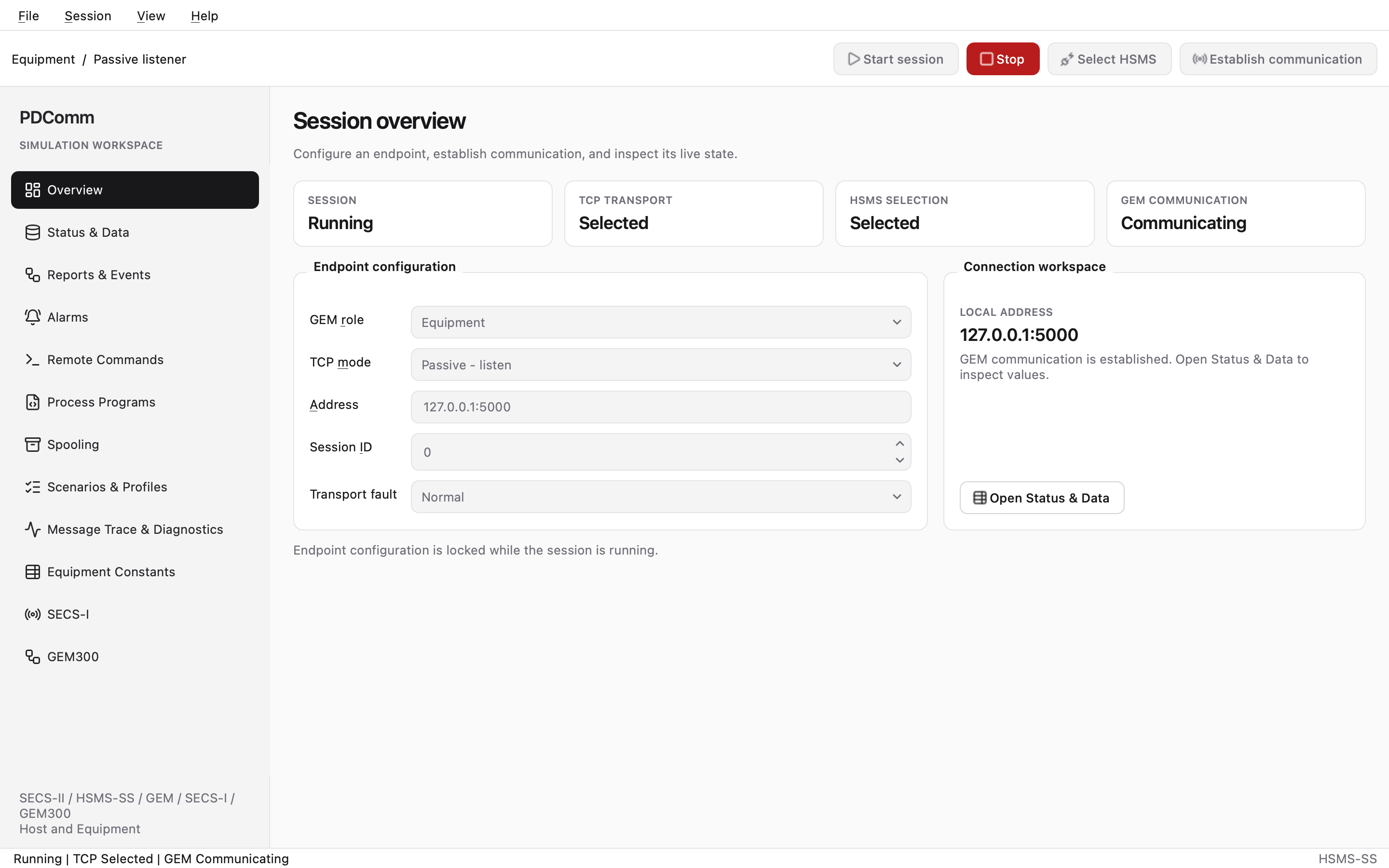
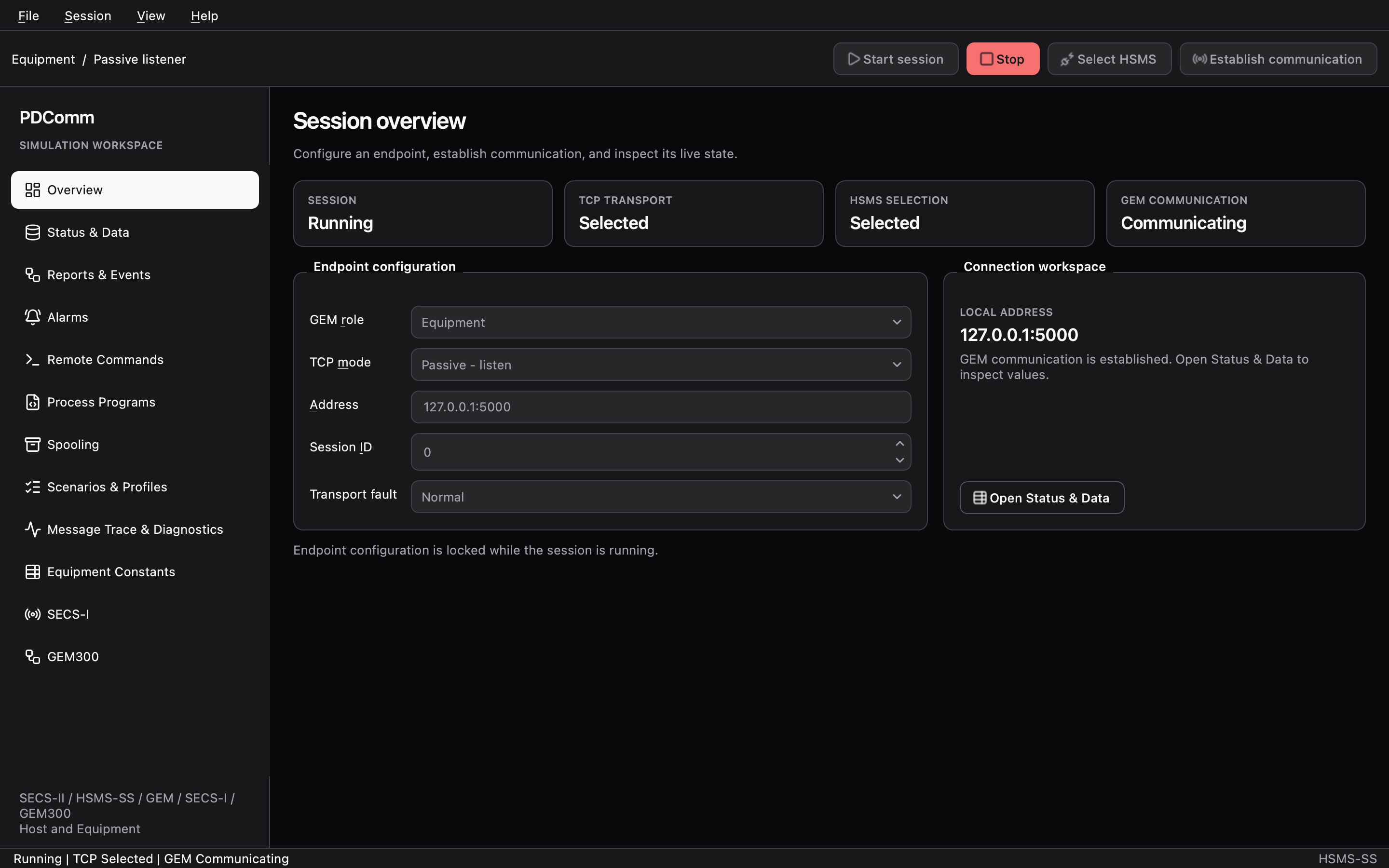
& "$Simulator\pdcomm-simulator.exe"on Windows,"$PDCOMM_SIMULATOR/pdcomm-simulator"from a desktop session on Linux, orpdcomm-simulator.appon macOS. - In Overview, under Endpoint configuration, set GEM role to Equipment, TCP mode to Passive - listen, Address to
127.0.0.1:5000and Session ID to7. - Click Start session. The TCP TRANSPORT card shows Listening.
- In the second terminal, start the C++ host and type
establishandvalues 1001 1002:
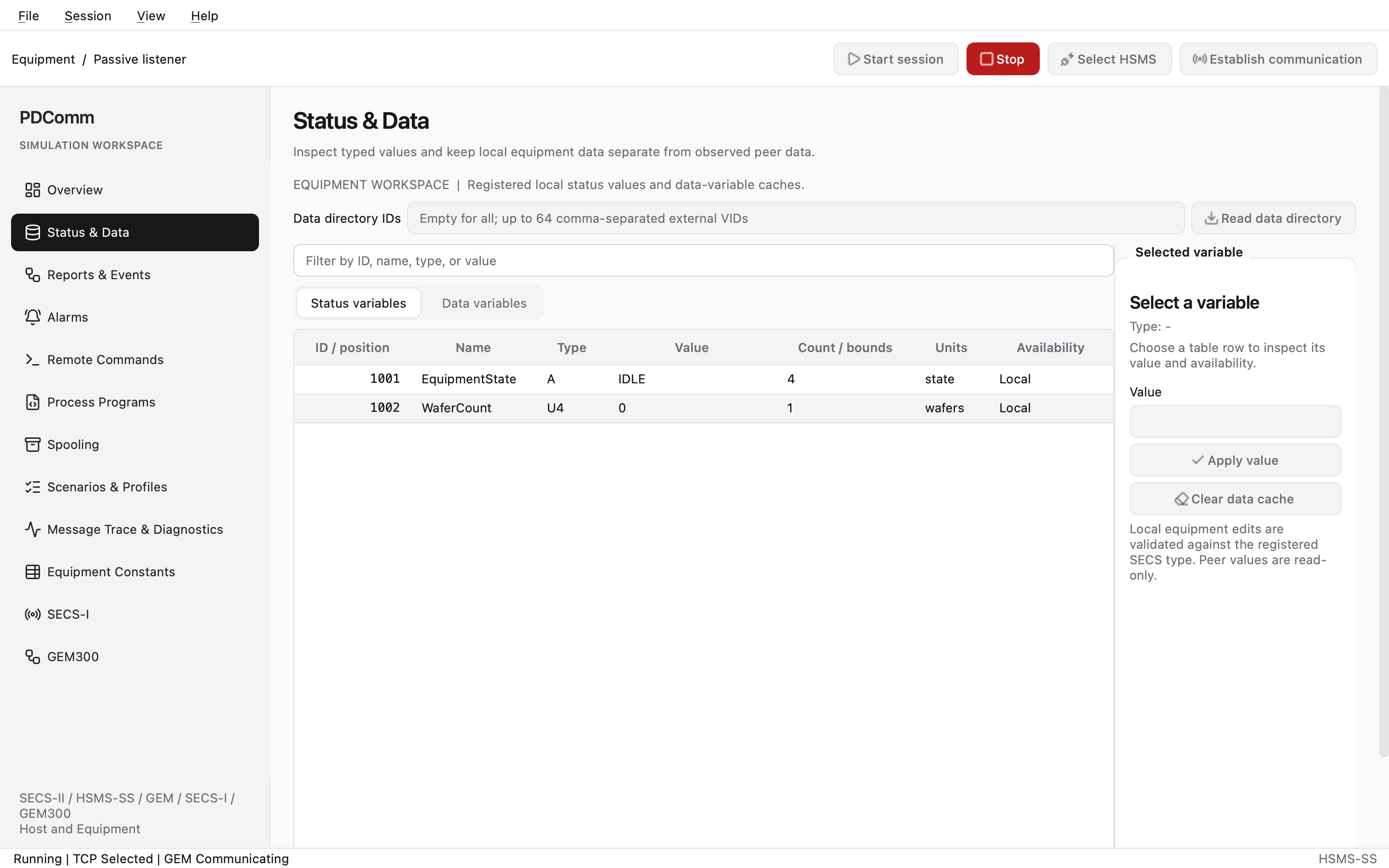
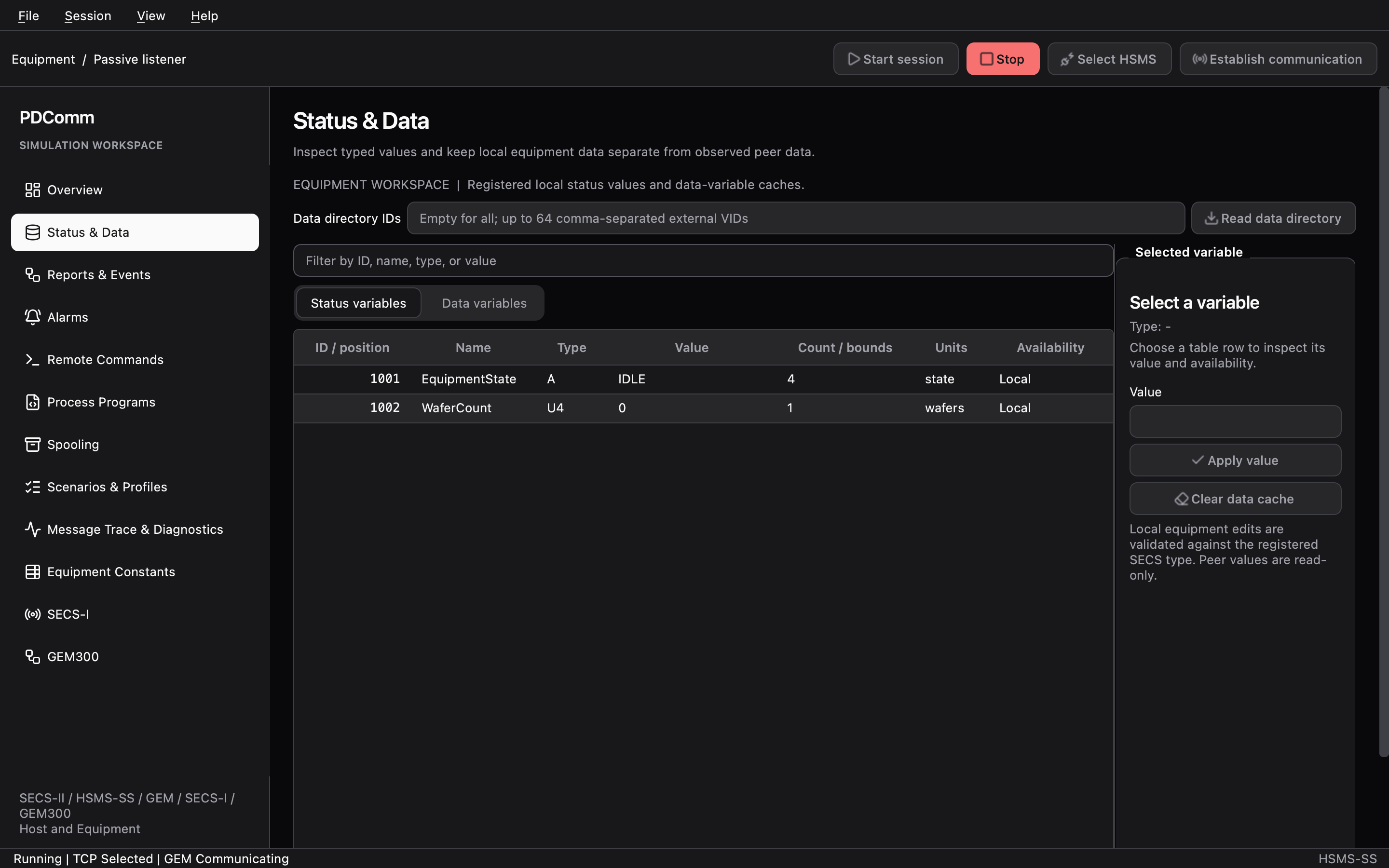
"$PDCOMM_ROOT/build/pdcomm-tutorial" host active 127.0.0.1:5000RESULT kind=2 request=1 outcome=2SECS-II 01 02 21 01 00 01 02 41 10 50 44 43 6f 6d 6d 20 53 69 6d 75 6c 61 74 6f 72 41 01 31RESULT kind=2 request=3 outcome=5SECS-II 01 02 41 04 49 44 4c 45 b1 04 00 00 00 00The simulator equipment reports the model name PDComm Simulator and software revision 1. Its built-in status variables are SVID 1001 EquipmentState (ASCII IDLE) and SVID 1002 WaferCount (U4 0). They differ from SVIDs 1 and 2 of the tutorial equipment, so ask for values 1001 1002.
- In the simulator, open Status & Data, select SVID 1002, enter
5in Value and click Apply value. - Type
values 1001 1002in the host again. The second value changes tob1 04 00 00 00 05(U4 5).
- Type
quitin the host, then click Stop in the simulator.
The simulator GUI guide covers every workspace.
Troubleshooting
Section titled “Troubleshooting”| Symptom | Cause and fix |
|---|---|
COMMAND ERROR PDComm native operation failed with status InvalidState. |
The session isn’t Selected yet, or GEM communication isn’t established. Check with state and run establish first. |
COMMAND ERROR This command requires the Host role |
You typed a host command in the equipment terminal. |
COMMAND ERROR Unknown command |
The command name is wrong. The C++ example doesn’t support directories, alarms or the formatted program commands. |
Every value in values is 01 00. |
The equipment doesn’t have those SVIDs. The tutorial equipment uses 1 and 2; the simulator uses 1001 and 1002. |
You connect to the simulator, but RESULT kind=3 request=1 appears only five seconds (T3) after establish. |
The simulator’s Session ID isn’t 7. With different HSMS session IDs, the peer doesn’t process data messages. Use the same value on both sides. |
Every request ends with RESULT kind=3 after T3. |
The peer neither handles nor answers the requests. The PDComm simulator’s equipment aborts unhandled requests with SxF0 at once, so you won’t see this with it. See Connection and timeout problems. |
Clean up
Section titled “Clean up”Type quit in every terminal. In the simulator, click Stop and close the window.
Next steps
Section titled “Next steps”- Data collection covers data variables, equipment constants and directories.
- In Reports and events, you receive event reports that the equipment sends on its own.
- For every result code, see Status codes and results.